Product Improvements / 26th May, 2026
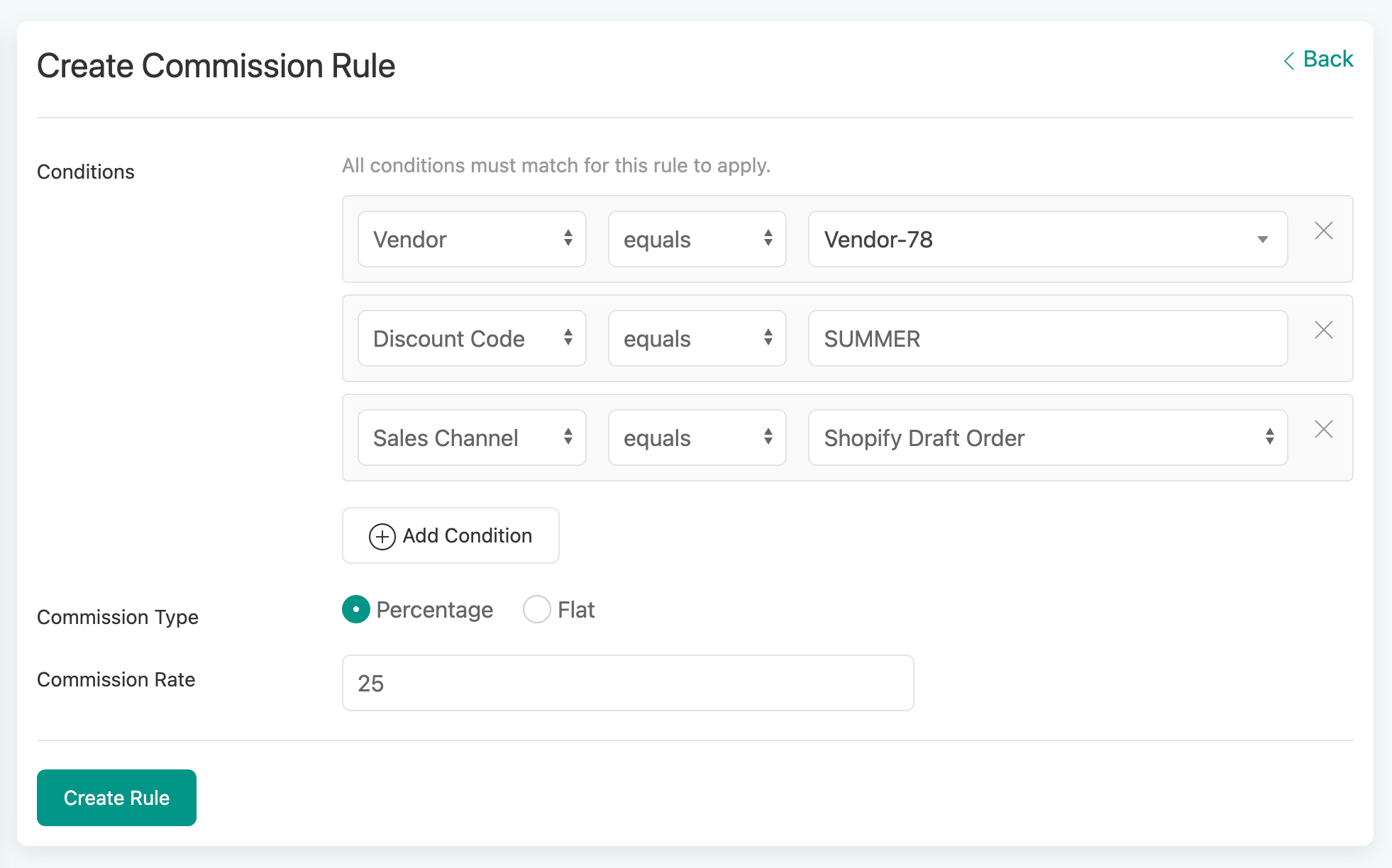
✨ Advanced Commission Rules Engine
The Problem
Managing commissions across different products, vendors, and order types has meant juggling manual overrides and separate settings. As your marketplace grows, this gets harder to manage.
What’s New
Commission Rules let you set up flexible rules that automatically calculate the right commission for every order. No more manual work.
How It Works
Pick your conditions
Choose from 10+ fields to build your rule:
Product name, SKU, variant, product type, or tags
Discount code, payment method, or sales channel
Vendor, shipping method or location based sales
Custom tags, order tags, or currency/markets
Item price, quantity, or weight
Mix and match as many conditions as you need. For example: “If the discount code is SUMMER AND the Sales Channel is Point Of Sale, apply 12% commission.“
Set your commission
Choose a percentage (e.g.: 15%) or a flat fee (e.g.: $4.00) for each rule.
Let the system handle conflicts
When more than one rule matches an order, the highest commission automatically wins. No guesswork, no manual sorting.
Test Before You Go Live
Not sure which rule will match? Enter sample order details in the built-in testing panel and instantly see which rule applies. Fine-tune your setup with confidence before it goes live.
Already Have Commission Set Up?
If you’re using per-SKU or per-Product type commissions today, those automatically continue to match if no new rule matches.
A Few Extras
Rule names are auto-generated for you (and editable)
You'll see a warning if the same product is covered by multiple rules
Each rule shows how many products it affects at a glance. Ready to try it? Head to Settings > Commission Rules to set up your first rule. If you do not see it, ask our support team.
Ready to try it? Head to Settings → Commission Rules to set up your first rule.