
Changelog

Follow new updates and improvements to Puppet Vendors.

Product Improvements / 30th September, 2026
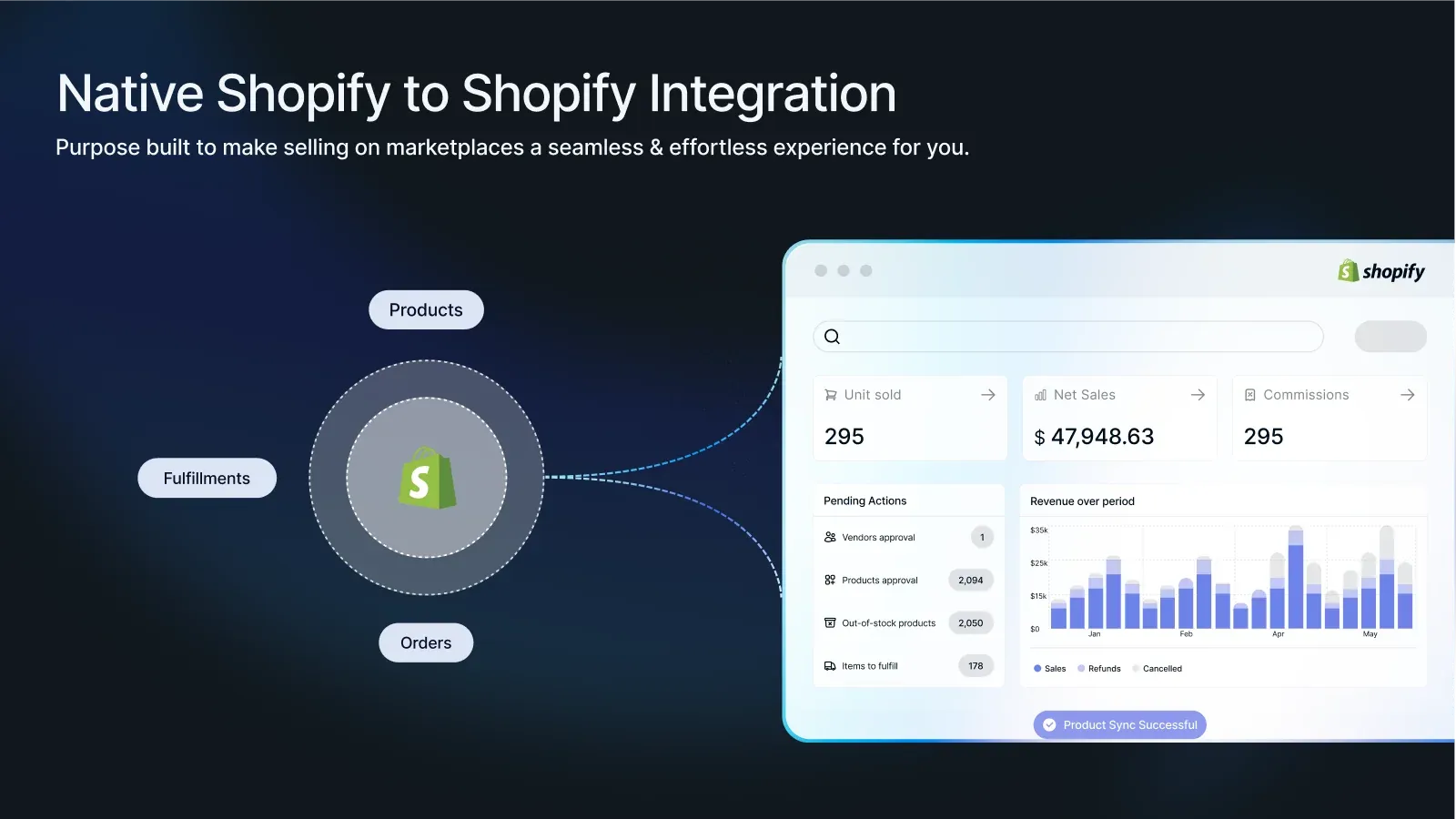
Many of your vendors already sell on their own Shopify store. Until now, they had to recreate and maintain those products inside your marketplace by hand. Bridge removes that work completely.

With Bridge, a vendor connects their own Shopify store to your marketplace in one click, either from your invite email or from the Connect button in their vendor portal. Then:

They pick what to share: Vendors select products from their portal, or tag them right inside their own Shopify admin. Only what they choose gets synced.

Products appear in your store automatically, with variants, images and prices intact.

Inventory syncs from the vendor's store, from whichever location they choose during setup, so stock in your marketplace reflects what they actually have.

Orders route automatically: When a customer buys a vendor's product, that vendor's items are created as an order in their own Shopify store, and they fulfill from where they already work.

Disconnecting is clean. If a vendor disconnects, their synced products are removed from your store automatically.

Every merchant gets 25 synced products included, with affordable add-ons for larger catalogs.

How to get started: Message us in the app chat (or reply to this post) and we'll switch it on for you.

Documentation:
New

Product Improvements / 13th May, 2026

✨ New Features

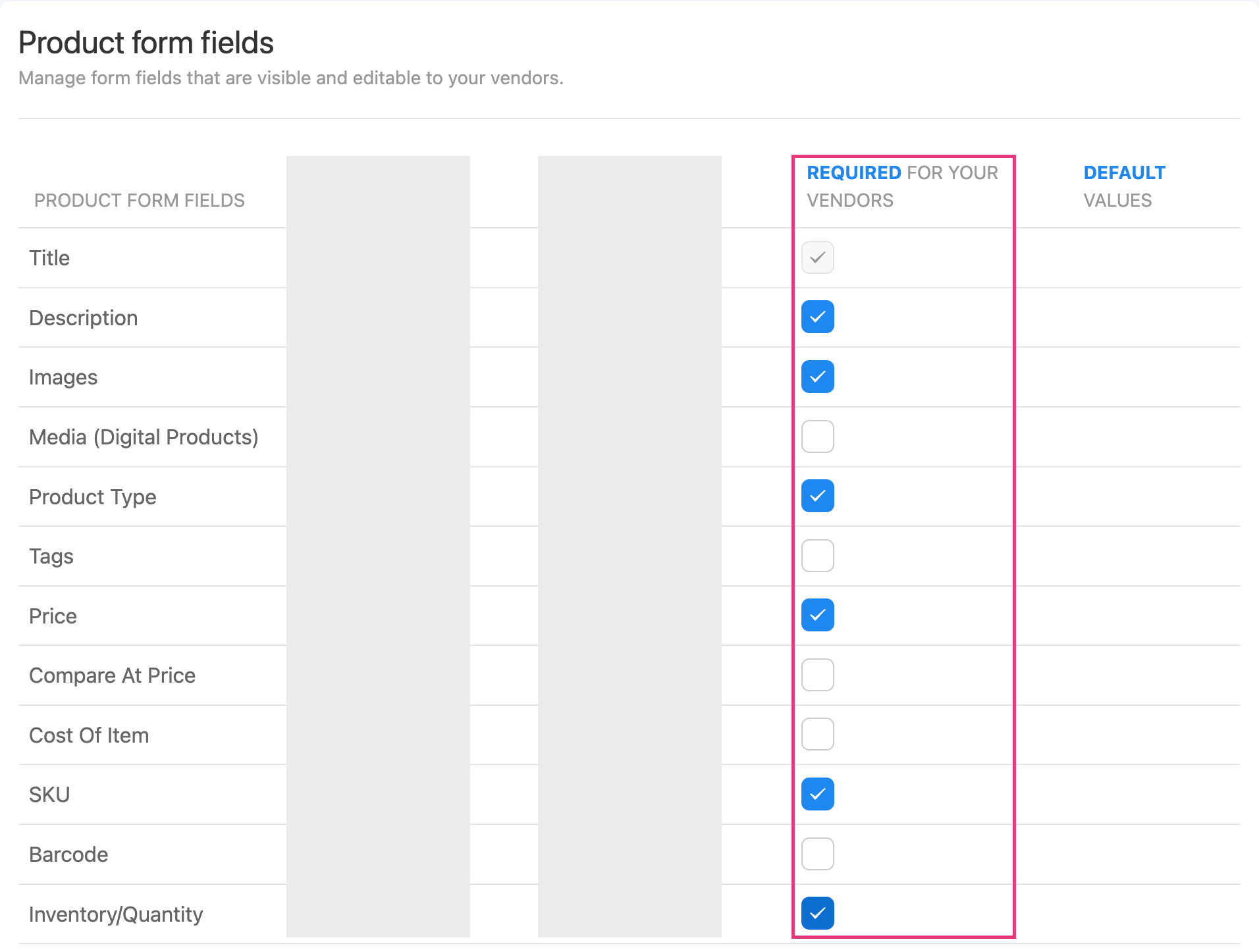
  1. Required Product Form Fields

You can now choose which product fields your vendors must fill in before saving. This includes description, images, price, SKU, barcode, inventory, weight, and more.

This gives you full control over product data quality across your marketplace. No more chasing vendors to complete missing information.

Head to Settings → Products → Metafields to set it up.

  1. Order Notes Visibility Control

A new toggle in Advanced Visibility Control lets you show or hide order notes from your vendor portal and packing slips.

When you have order notes that are only relevant to your internal team, simply toggle them off. Vendors won’t see them, and your pages load faster too.

🛠️ Improvements

  • Zebra Barcode Printing - Barcode labels now print crisper and more legible on Zebra thermal printers, with improved text sizing across label formats.

  • Multi-Language CSV Exports - Exported CSV files now display special characters correctly in Excel and Google Sheets. Great for stores with product names or vendor details in languages like Vietnamese, Chinese, Arabic, and more.

  • Automated Reporting Delivery Retry - If a scheduled vendor report fails to send, the system now automatically detects it and resends the next day.

  • Security: Vendor signup forms now include stronger protection against automated bot registrations.

NewImproved

Product Improvements / 17th September, 2025

Vendors in Vacation mode

What it does

  • Set availability easily
    Vendors can activate Vacation Mode when they need time off, ensuring no new orders come in during their break.

  • Auto-hide listings
    Products are put to Draft mode instantly once turned on, preventing accidental sales.

  • Quick restoration
    Listings reappear as soon as vendors return, with no manual setup required.

  • Hands-off process
    Removes the need for you or the vendors to toggle products one by one, minimizing errors.

How this helps you

  • Protects customer experience by avoiding delays or cancellations.

  • Saves you time since there’s no action required directly on your end.

  • Builds trust through a consistent, reliable storefront.

  • Keeps your vendors engaged by giving them flexibility without added stress.

The steps to set it up and other information related to this feature can be found here.

(BETA) Fulfillments tab enhancement - updated filters and search box field

Reach out via support to get access.

We’ve upgraded the Fulfillments tab to give you and your vendors sharper tools for order management.

Key Improvements

  • Statistics counters
    Quick, at-a-glance view of order volumes for better tracking and monitoring.

  • Search by Order ID
    Locate orders instantly without scrolling or guesswork.

  • Categorized status tabs
    Orders are grouped by status for clear visibility and faster action.

How it helps you and your vendors

  • Saves time with faster searches and better navigation.

  • Improves accuracy by reducing missed or unprocessed orders.

  • Boosts efficiency for both you and your vendors when managing multiple transactions.

  • Delivers clarity with organized, easy-to-read status updates.

Auto-Approve Vendor Accounts

This feature allows you to automatically approve vendor or seller accounts when they fill out the sign-up form — no manual review needed.

What to expect:

  • Instant onboarding
    As soon as a vendor fills out the signup form, their account becomes active automatically—fast access with zero delays.

  • Simplified admin workflow
    Removes the need for manual approval steps; saves time on reviewing and approving each request.

  • Customizable signup page
    Vendors can apply via a sign-up form that makes the opt-in for auto-approval clear and user-friendly.

This provides you, as merchants:

  • Faster growth opportunities with minimal intervention

  • Less administrative burden

  • Better vendor experience with scalable and automated onboarding

This help document illustrates how to set it up in detail.

NewImproved

Earlier updates